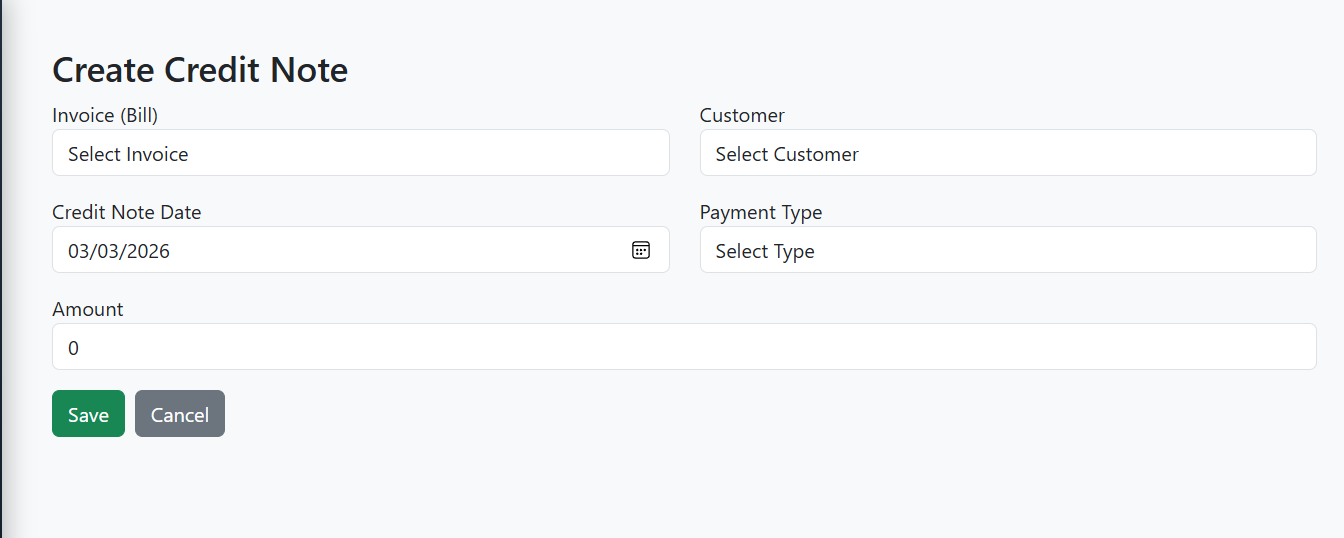
Credit Note Module
The Credit Note Module in E-Trans Dashboard is used to create, update, and manage credit notes for invoices (bills).
It ensures proper validation against invoice balances and maintains accurate customer accounting.
🔹 Features
- Create or update a credit note
- Select Invoice (Bill) and auto-populate Customer
- Lock customer selection if credit note is pre-associated
- Auto-fill credit note amount based on invoice balance
- Validate credit note amount against invoice balance:
- Amount cannot exceed invoice balance
- Amount must be greater than zero
- Adjustments allowed in edit mode
- Select Payment Type: Cash, Cheque, Online
- Toast notifications for success, warnings, and errors
🖥️ Form Fields
| Field | Type | Description |
|---|---|---|
| Invoice (Bill) | Dropdown | Select invoice; shows balance for reference |
| Customer | Dropdown | Auto-filled based on invoice; can be locked |
| Credit Note Date | Date | Defaults to today |
| Payment Type | Dropdown | Cash / Cheque / Online |
| Amount | Number | Max: Invoice Balance; validated on input |
🔗 API Endpoints
| Action | Method | Endpoint | Description |
|---|---|---|---|
| Add Credit Note | POST | /credit-notes |
Create a new credit note |
| Update Credit Note | PUT | /credit-notes/{id} |
Update an existing credit note |
| Get Credit Note | GET | /credit-notes/{id} |
Fetch credit note details |
| Invoice (Bill) List | GET | /bill?page=0&size=1000 |
List of invoices for selection |
📝 Workflow
- Navigate to Credit Notes in the dashboard.
- Click Add Credit Note or Edit Credit Note.
- Fill in required fields:
- Select Invoice (Bill); Customer is auto-filled
- Select Credit Note Date
- Select Payment Type
- Enter Amount (validated against invoice balance)
- Click Save or Update.
- Toast notifications indicate success or error.
- User is redirected to the Credit Notes List on success.
⚡ Validation Logic
- Amount must be > 0
- Amount cannot exceed Invoice balance
- Edit Mode:
- Adjustment allowed: New amount ≤ Invoice Balance + Old Credit Note Amount
- Customer field is locked if credit note is pre-associated with invoice
- Invoice selection updates customer and max allowed amount automatically
📷 Screenshot (Example)