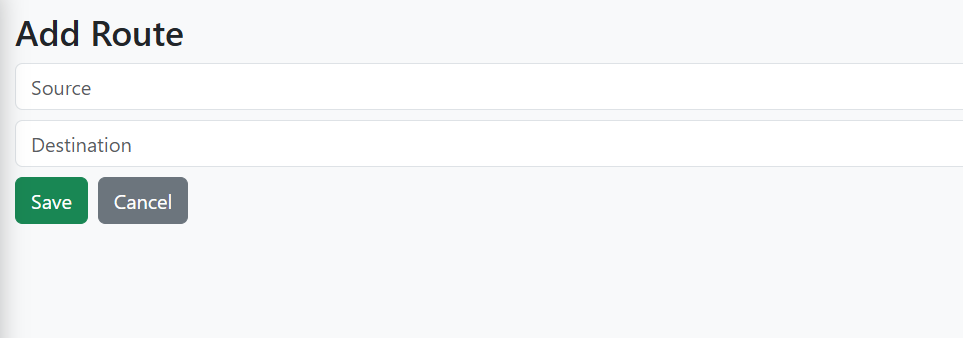
Routes Module
The Routes Module in E-Trans Dashboard allows users to add, update, and manage transportation routes between source and destination locations. This ensures proper route planning and logistics management.
🔹 Features
- Add new routes
- Edit existing routes
- Basic validation for source and destination fields
- Real-time toast notifications for success, warning, or error
- Automatic redirection after save/update
🖥️ Form Fields
| Field | Type | Description |
|---|---|---|
| Source | Text | Starting point of the route (Required) |
| Destination | Text | Ending point of the route (Required) |
⚡ Validations
- Source and Destination cannot be empty
- No duplicate routes are allowed (validated by backend)
- Errors handled with toast notifications:
- ✅ Success
- ⚠ Warning (duplicate route)
- ❌ Error (validation or server error)
📝 Example Usage (Vue 3 + Pinia)
import { ref } from 'vue'
import apiClient from '@/axios'

const routeData = ref({
  source: 'Mumbai',
  destination: 'Pune'
})

const saveRoute = async () => {
  try {
    await apiClient.post('/routes', routeData.value)
    console.log('Route added successfully')
  } catch (error) {
    console.error('Error saving route', error)
  }
}
🔗 API Endpoints
| Action | Method | Endpoint | Description |
|---|---|---|---|
| Add Route | POST | /routes |
Add a new route |
| Update Route | PUT | /routes/{id} |
Update an existing route |
| Get Route | GET | /routes/{id} |
Fetch a single route’s details |
| List Routes | GET | /routes |
Fetch all routes |
✅ Workflow
- Navigate to Routes from the sidebar.
- Click Add Route or Edit an existing route.
- Fill in Source and Destination fields.
- Click Save or Update.
-
Toast notifications will appear:
- ✅ Success
- ⚠ Warning (duplicate route)
- ❌ Error (validation or server error)
- On success, the page redirects to Routes List.
📷 Screenshot (Example)